Daily Backup Companion
NEWFind every file changed today — on your PC, a shared drive or the office server — and back it up in one click, or automatically every day. Built for CA offices, accountants and small businesses.
DBC Basic
LIVE · FREEVersion 1.0.0 · Windows 10 / 11, Server 2016+ (64-bit)
- Scan a folder, network share or the whole PC
- List everything changed on any date
- Back up changed files or entire folders
- Daily or weekly automatic backup with a reminder
- Export the list to Excel (CSV)
Free with Google sign-in · 67 MB · no admin rights needed
Edge says the file “isn't commonly downloaded”? Click ⋯ → Keep. It's normal for new apps — see FAQ.
DBC Advanced
COMING SOONFor offices that need more control
Everything in Basic, plus more for multi-PC offices. We're building it now — tell us what you need at hello@truevith.space.
What is DBC, and why use it?
A small Windows app that backs up only what changed.
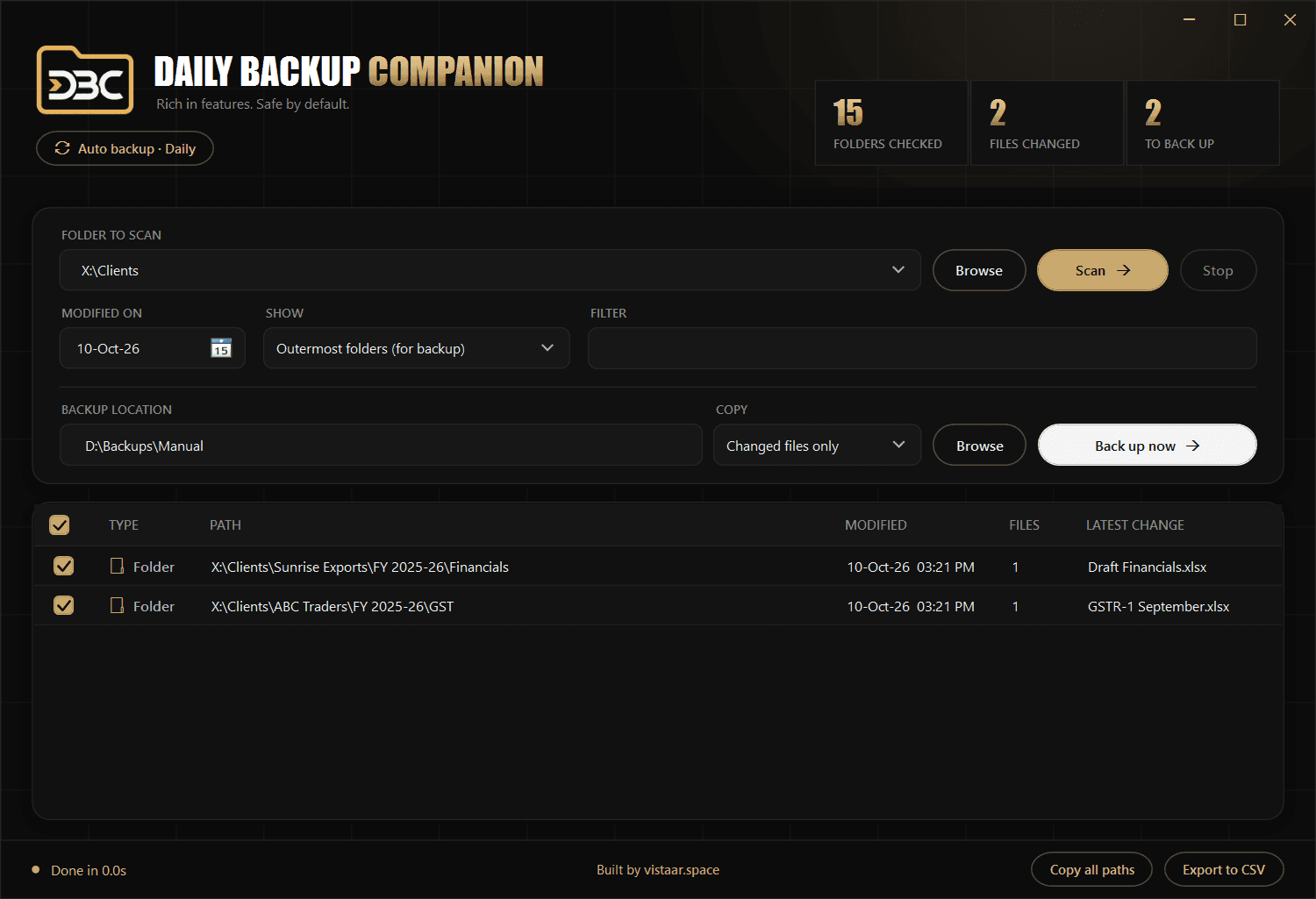
DBC scans your folders, lists every file modified on the day you pick, and copies just those files — or their whole folders — to a backup drive or server, keeping the folder structure.
Full backups of a busy office share take hours and fill disks. Most days only a handful of client files change. Backing up just those is fast, so it actually gets done every day.
CA firms, accountants and small offices that keep client work on a PC or a shared server and want a simple daily safety net without IT staff or cloud subscriptions.
How it works
From install to your first backup in a few minutes.
Run DBC-Setup and follow the short wizard. If Windows warns you, click More info → Run anyway.
Paste a folder such as D:\Clients or \\SERVER\Data, pick a date (today by default) and click Scan.
Set the backup location once, tick the rows you want and click Back up now. Folder structure is kept.
Open Auto backup, choose Daily or Weekly, add folders and a master backup path. Done.
\\SERVER\Backup\08.10.2026. If the PC was off for a few days, one folder covers them all.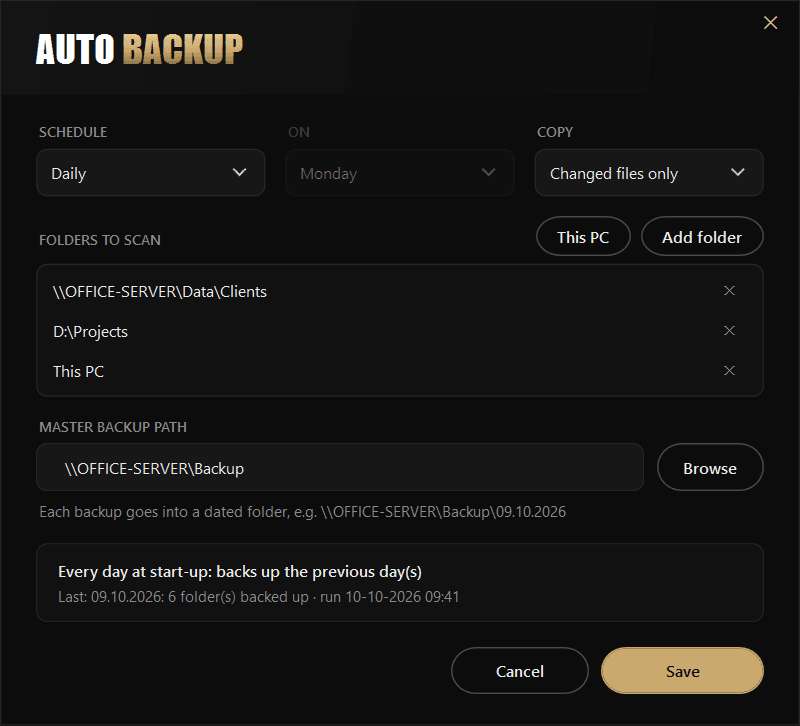
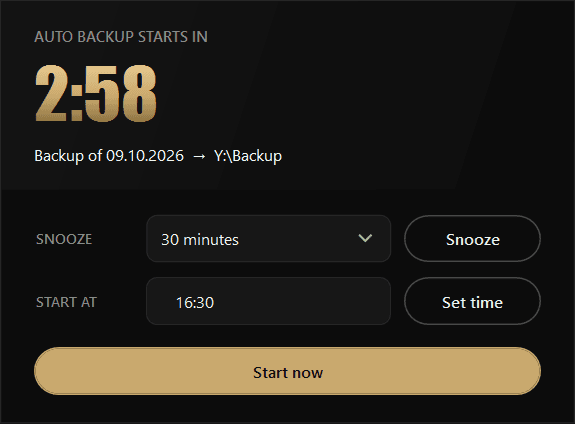
%AppData%\DBC.Frequently Asked Questions
Quick answers on safety, servers and scheduling.